Agent Groups: Group Creation and Policy Management (Compliance)
01. Project introduction
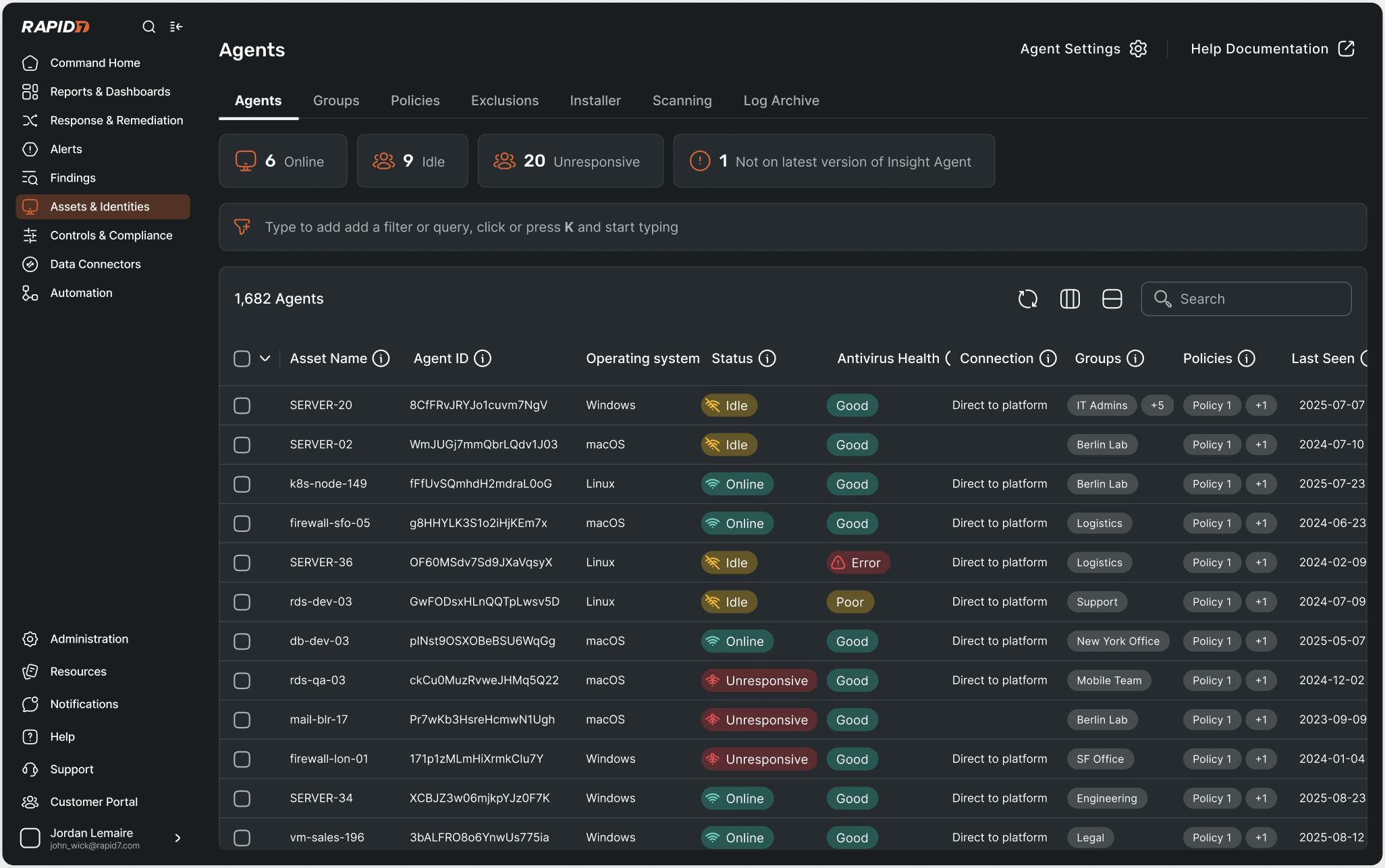
What are agents?
Agents are small software programs installed on devices and servers. They collect security data, help enforce controls and give teams visibility into what is happening across their environment.
As organisations grow, the number of agents increases. This makes them harder to keep track of. Users need a clear way to see which agents are installed, where they are running and whether they are working properly. Without that visibility, it is difficult to trust that the environment is fully covered.
Why users want to organise agents
Users want a simple way to view and organise their agents so they can make sure everything is covered and working as expected. This helps them quickly spot missing agents, outdated versions or configuration issues.
Having this visibility also makes it easier to apply policies and manage agents at scale. Instead of manually checking systems or reacting to problems, teams can stay in control and reduce day-to-day effort.
02. The Problem
Agent management had become fragmented and difficult to scale due to several gaps in the existing experience:
- Lack of deployment clarity
Users did not have clear, guided workflows for installing agents across different environments, leading to inconsistent coverage and manual effort. - Limited visibility into agent status
There was no single, centralised view of all agents and their current state, making it hard to assess health, coverage, or issues at a glance. - Poor organisation at scale
Without effective filtering, grouping, or bulk actions, managing large numbers of agents was time-consuming and error-prone. - Unclear policy and control assignment
Users lacked an intuitive way to assign and manage policies at both group and individual agent levels, increasing the risk of misconfiguration. - Insufficient reporting and alerting
The absence of visual dashboards and trend reporting made it difficult to understand coverage over time or proactively identify gaps.
Together, these issues made agent management reactive and fragile, particularly in large or fast-changing environments.
03. Discovery and Research
User journeys
To better understand user needs, I mapped end-to-end user journeys across the agent lifecycle, from deployment and configuration through to monitoring and troubleshooting. Because agents act as a primary data collection layer, it was important to understand how they differed from other collectors in terms of lifecycle, ownership, and control. I mapped all product areas related to Data Collection to ensure consistency throughout as all data connecting objects need to be unified.
This work helped:
- Surface friction points and gaps across the experience
- Clarify where agents could follow shared, unified patterns
- Identify where agent-specific behaviour was required
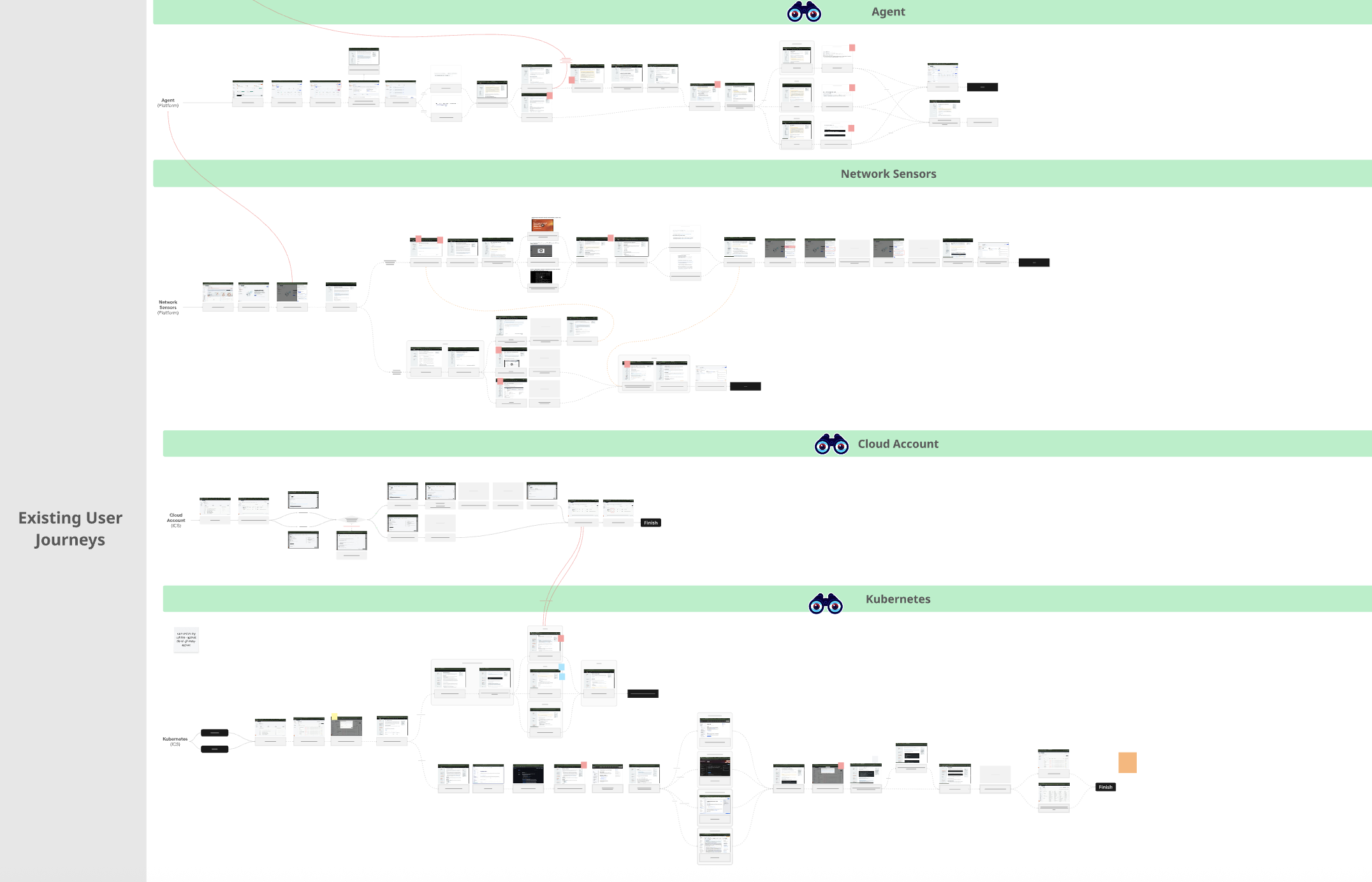
User journeys across Data Collection
Competitor Landscape
A review of the competitive landscape showed that leading security platforms provide significantly more flexibility and automation in agent and asset management. Rather than relying on static tables and manual configuration, competitors enable dynamic grouping, policy inheritance, and real-time updates.
Common patterns across competitors included:
- Dynamic, rule-based grouping that updates automatically
- Tagging and metadata as primary organisation mechanisms
- Policy assignment at group level with inheritance and overrides
- Real-time re-evaluation of agent state
- Clear visibility into conflicts, duplicates, and status issues
This analysis reinforced an industry expectation for dynamic, automated agent management and highlighted the limitations of static, manual approaches.
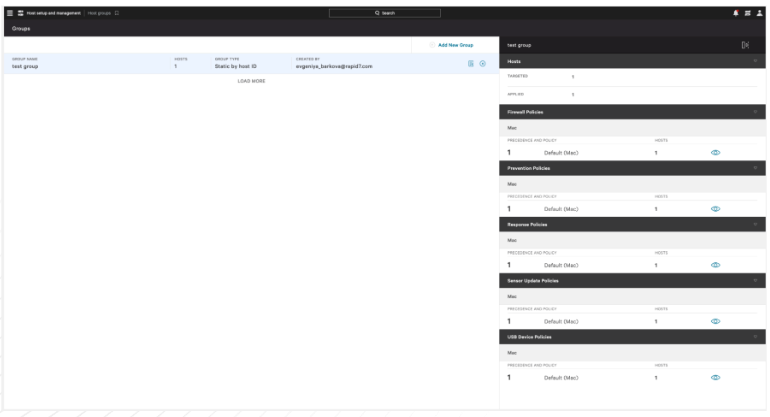
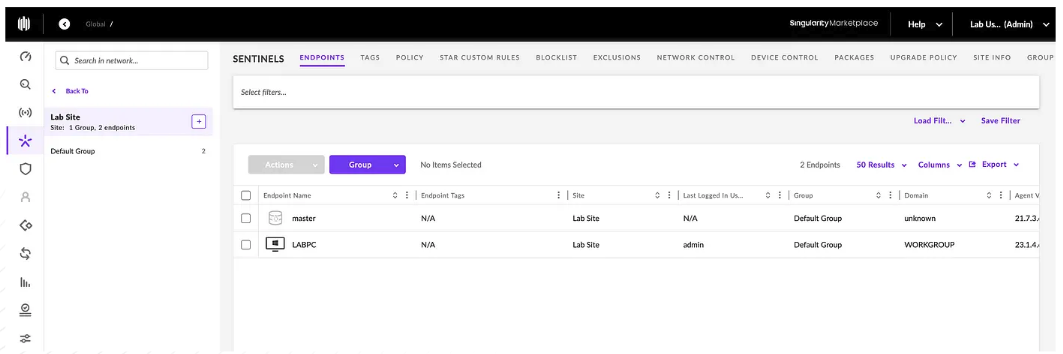
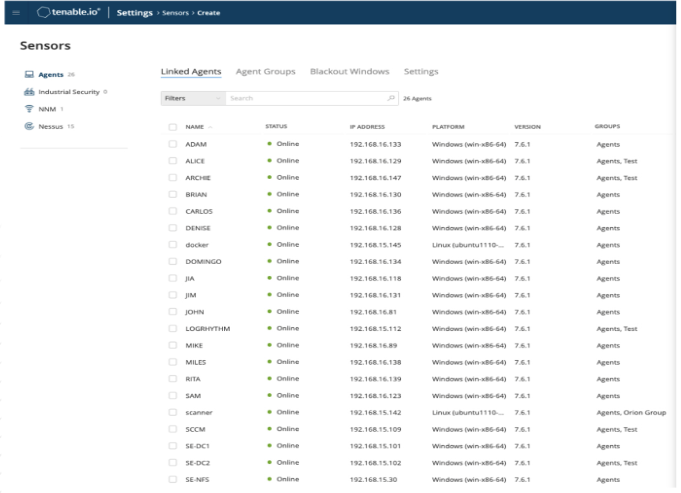
Rapid7's main competitors in the agent management space are Crowdstrike, SentinelOne and Tenable
Use Cases and User Stories
Consolidating use cases and user stories helped ground the work in real user behaviour:
- Clarified the role agents play as a core data collection layer
- Distinguished agent-specific workflows from broader asset management
- Identified key personas across deployment, configuration, and operations
Product Audit
To inform a unified approach, I conducted a cross-product audit of how groups were defined, configured, and used across siloed products. Each product had evolved independently, resulting in inconsistent patterns and duplicated concepts.
The audit:
- Identified overlaps, gaps, and conflicting models
- Created a shared baseline for discussion
- Enabled alignment on a consistent grouping approach that could scale across the platform.
This ensured the experience supported both initial setup and long-term management at scale. This work created a shared baseline that enabled informed decisions about what to standardise, what to keep flexible, and how to unify without adding complexity.
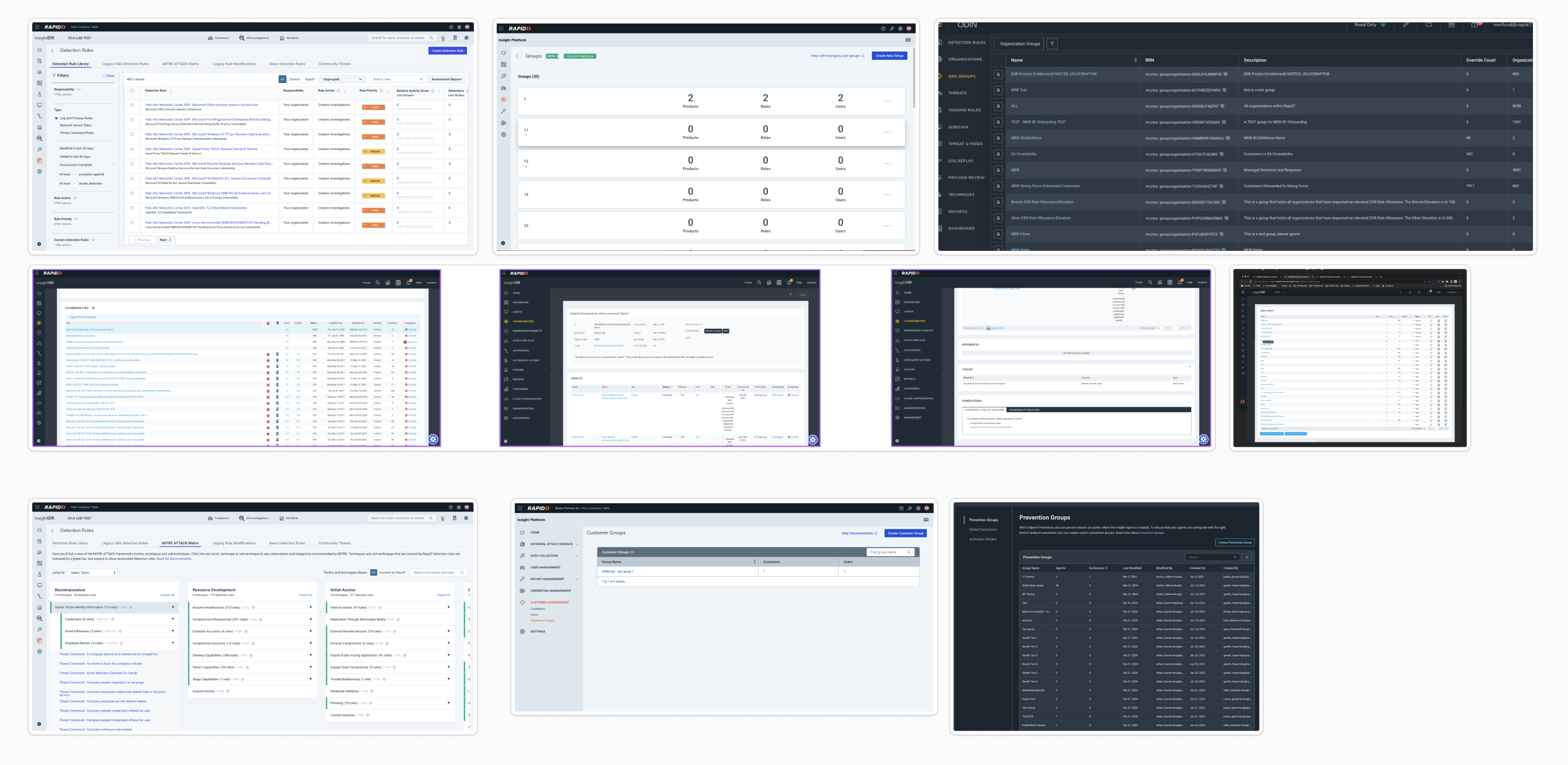
So many siloed products had different patterns for creating a group. A unified pattern had to be decided upon.
User Interviews and Insights
I conducted research sessions with seven of our top customers to understand how they deploy, organise, monitor, and troubleshoot agents at scale.
Key Insights:
1. Navigation and Information Architecture
- Users expect a single source of truth for collectors, agents, and groups
- KPI cards are interpreted as interactive filters, not static summaries
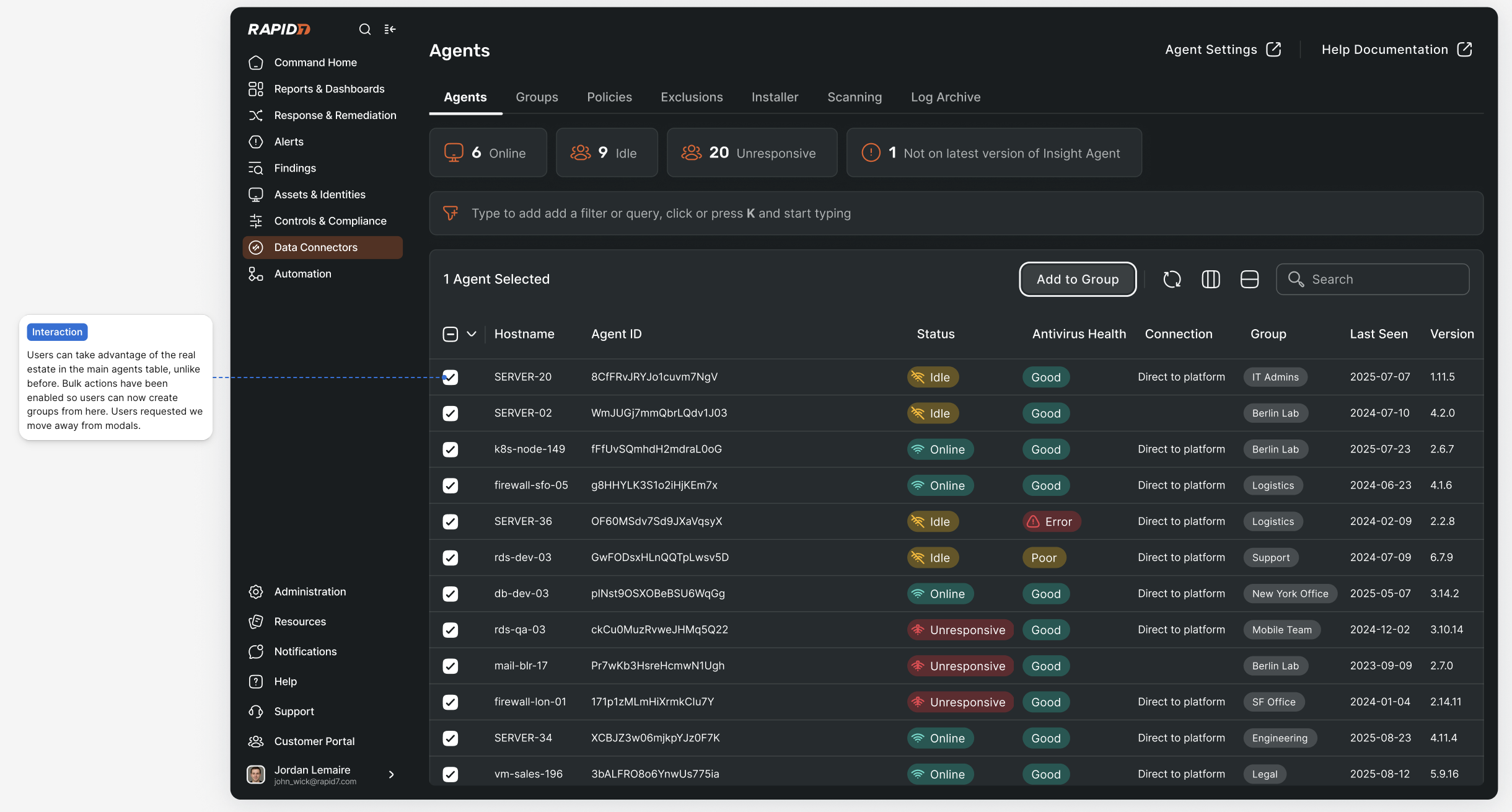
- Users want to filter, group, and apply settings from one consolidated view
UX Insight: Create a central page where KPIs act as contextual filters, surfacing live system states.
2. Agents and Identity
- Duplicate or conflicting identities cause confusion
- Idle agents need clear indicators and recommended actions
- Hostname and OS are more intuitive than internal IDs
UX Insight: Clarify identity logic and introduce intelligent detection and filtering.
3. Error Handling and Support
- Error ownership across products is unclear
- Error messages lack actionable context
- Manual log handling slows resolution
UX Insight: Redesign error messaging with clearer ownership, cause, and next steps, supported by automatic log collection.
4. Groups and Tagging
- Users want agents in multiple groups with predictable inheritance
- A default group provides a safe baseline
- Tags are seen as a lightweight, cross-platform layer
UX Insight: Use groups for control and tags for filtering and reporting, with clear inheritance visualisation.
5. Policies and Controls
- "Controls" terminology conflicted with industry expectations
- Hidden or overridden policies reduced trust
- Large organisations need scalable assignment models
UX Insight: Rename controls to policies and introduce a transparent, hierarchical policy model.
6. Installation and Deployment
- Fragmented installers caused confusion
- Users lacked visibility into deployment state
- Users wanted non-destructive ways to pause agents
UX Insight: Introduce unified installer flows with visible states and pause functionality.
04. Conceptualisation
Although the core user needs were clear, conceptualising the solution required significant cross-team collaboration due to inconsistent grouping patterns across siloed products. The work extended beyond interaction design into defining foundational platform concepts.
Key areas of focus included:
- Aligning on what a "group" represents and its core attributes
- Resolving whether groups should act as persistent containers or dynamic filtered views
- Defining a clear policy precedence model to prevent conflicts when agents belong to multiple groups
To reduce cognitive load and backend complexity, policy precedence was defined at policy creation rather than during agent movement. This ensured predictable behaviour and removed the burden from users during day-to-day management.
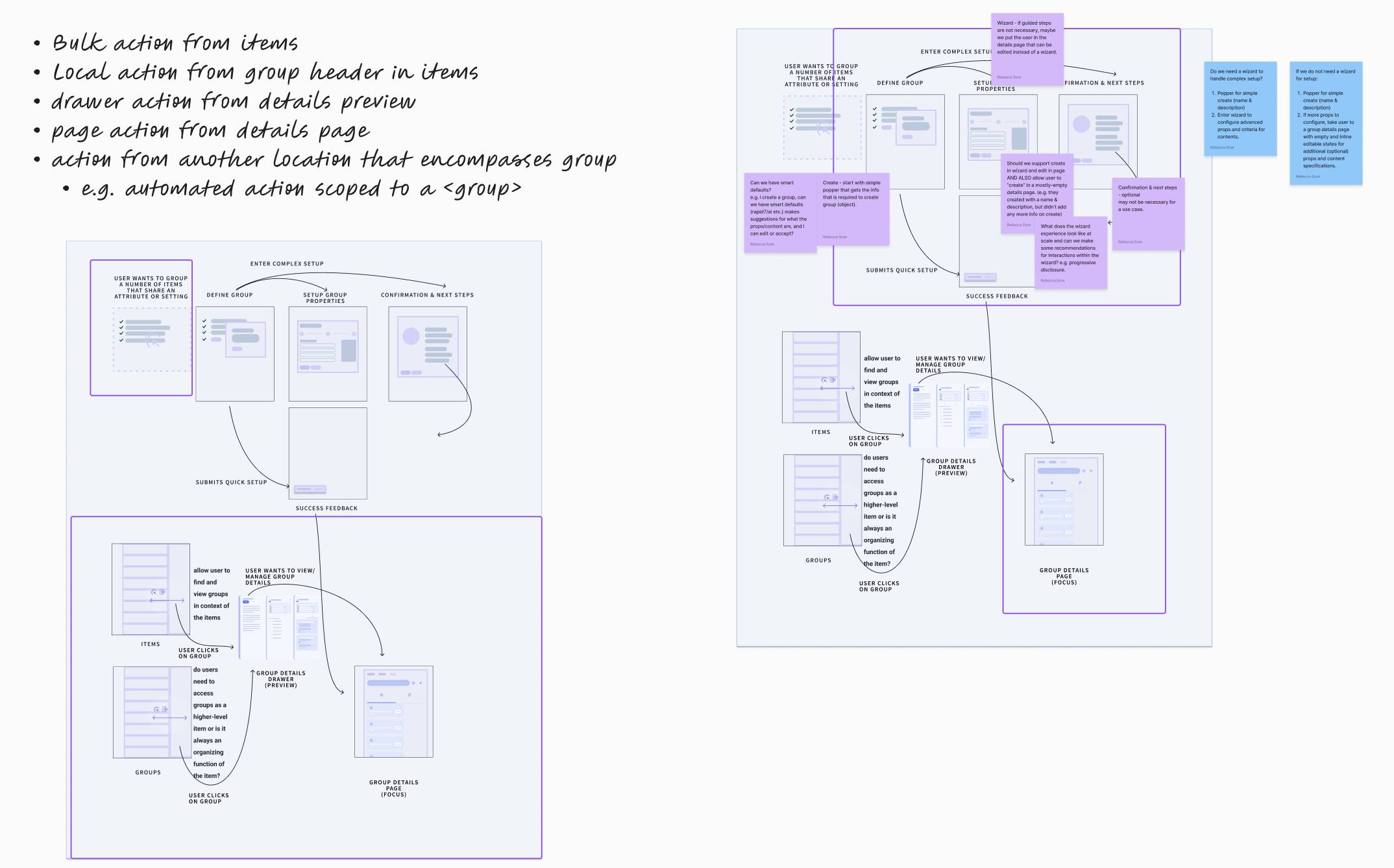
Working with product leads to agree on how to structure groups across platform
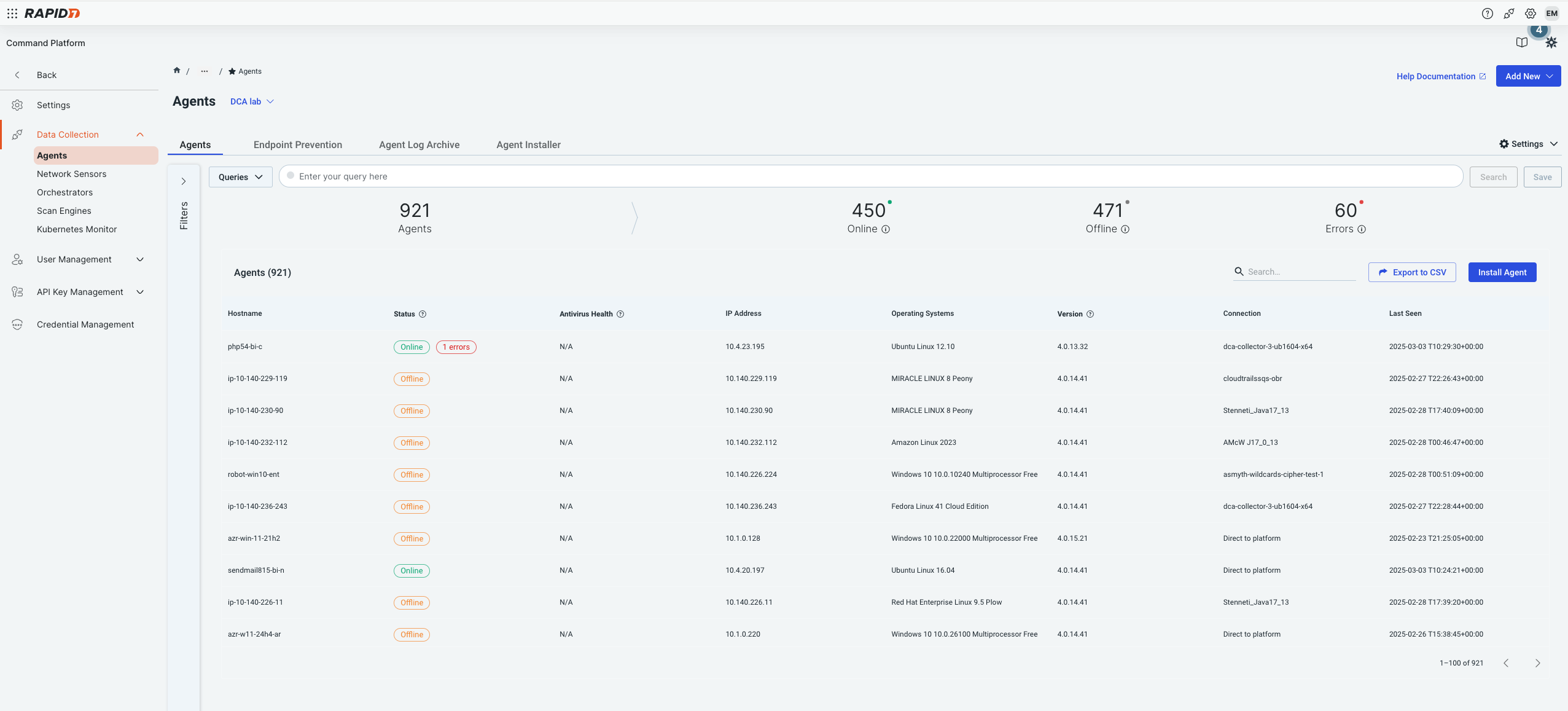
Former Prevention Groups experience
05. Solution
The final solution aligned agent management with the unified platform while contributing scalable patterns for future use.
Key elements included:
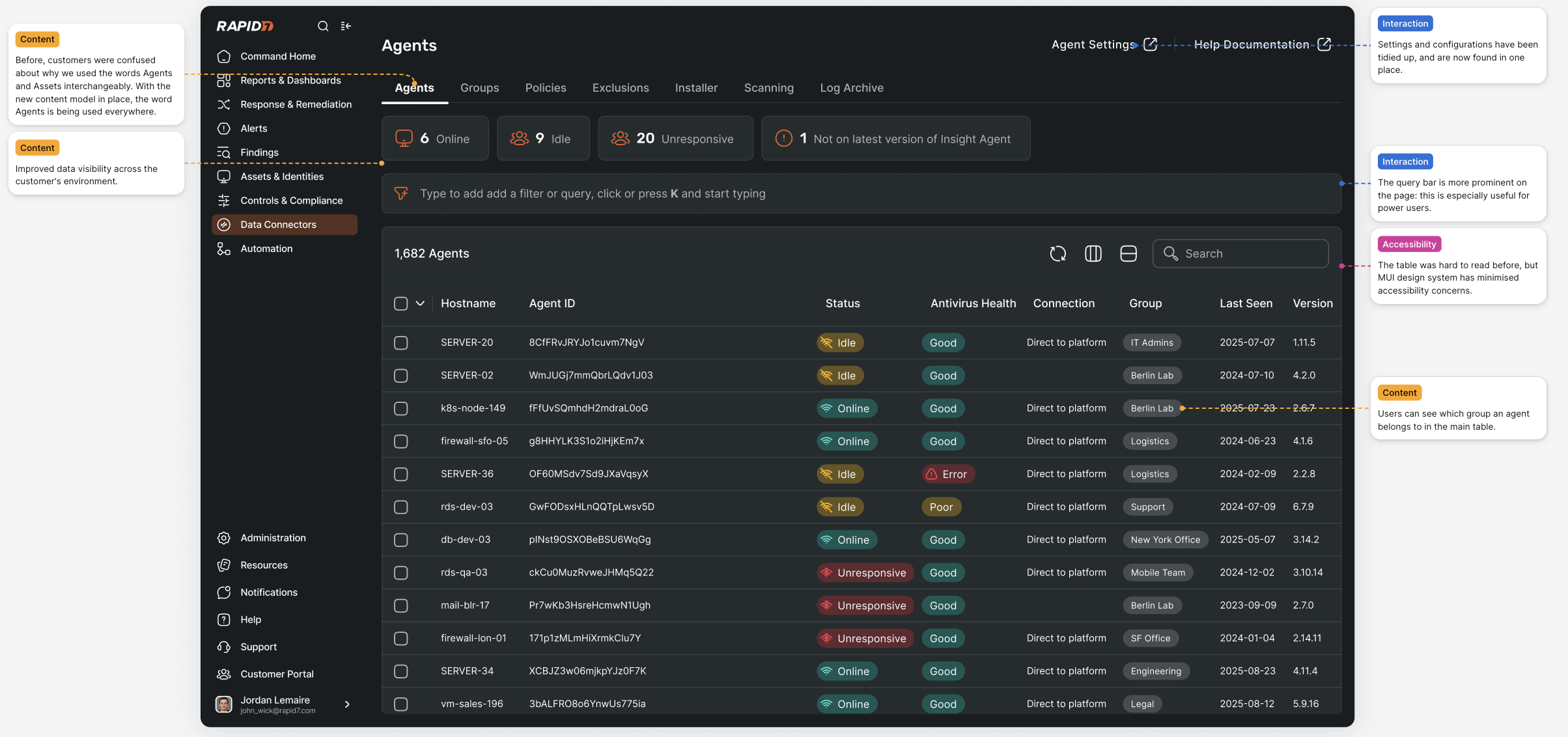
- Adoption of new MUI components and platform interaction patterns
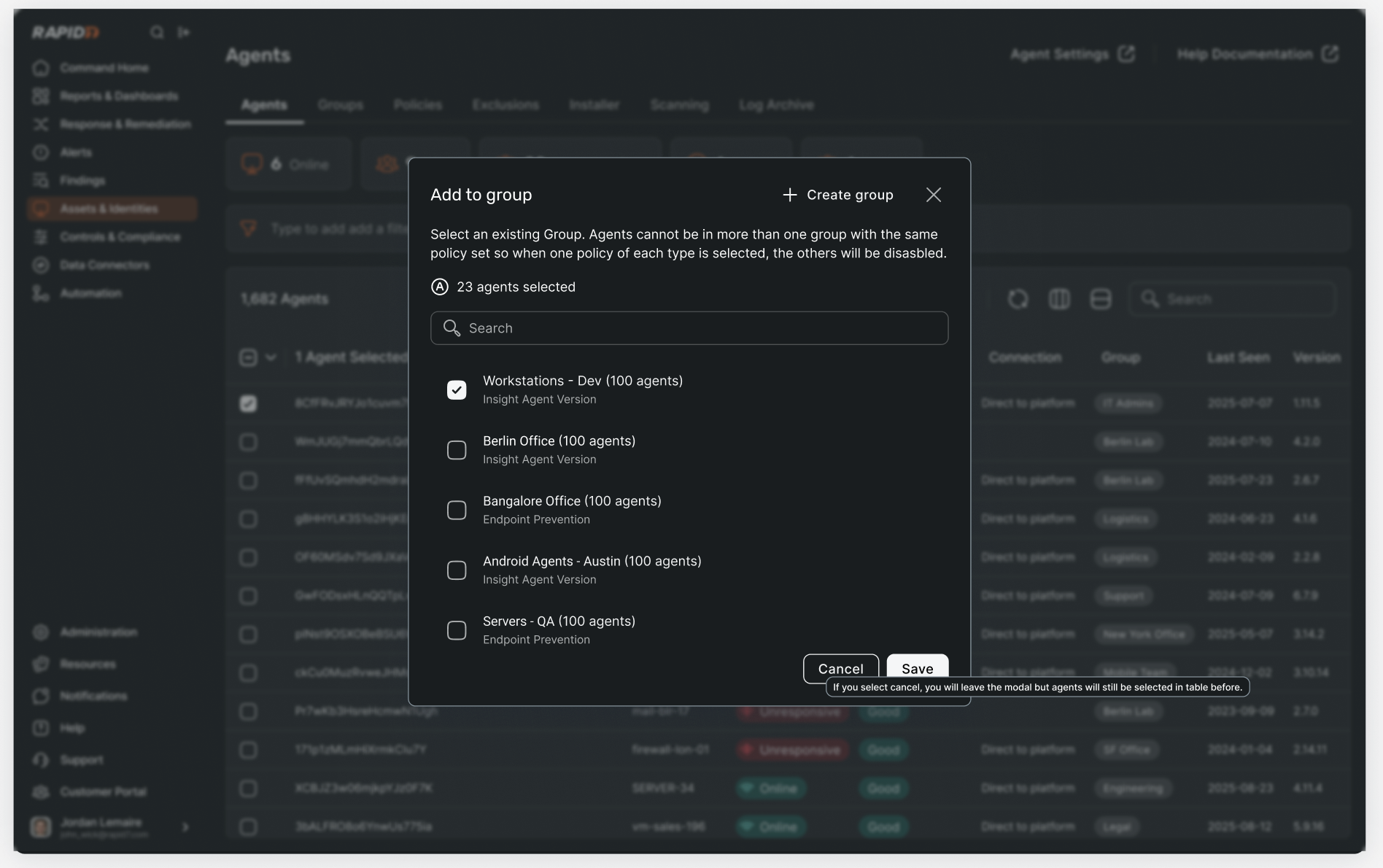
- A standardised group creation model supporting dynamic membership
- A clear policy precedence model defined at creation time
- Review and approval through the Design Guild
- Documentation and contribution of patterns to the wider design community
Together, these changes delivered a more coherent, scalable agent management experience.
Newly established policy prioritisation pattern
06. Results and Learnings
- Users responded positively to the new experience, finding grouping and policy assignment clearer and more predictable
- Users expressed strong interest in tagging to complement groups, but this required platform-wide data consistency and was deferred
- For policy precedence, users preferred policies organised by severity rather than type, highlighting opportunities for future iteration
- Both enhancements were identified as valuable next steps but intentionally scoped out of the initial release
Overall, the project validated the direction of the solution while providing clear guidance for future platform-level improvements.